
Apple AirTags are tiny, white Bluetooth trackers that help you keep tabs on keys, bags, and other personal items. They rely on Apple’s Find My network to locate lost items and offer several safety features to protect users from unwanted tracking. Whether you’re a frequent traveler or just want a quick way to find misplaced keys, AirTags can simplify the process.
At a Glance
- What they are: Small Bluetooth trackers that broadcast an encrypted ID.
- How they work: Rely on nearby Apple devices to relay location to Apple servers.
- Key privacy safety: Alerts for unknown AirTags and options to share or disable them.
- Why it matters: Gives everyday users a reliable tool to avoid lost luggage and personal items.
What Is an AirTag?
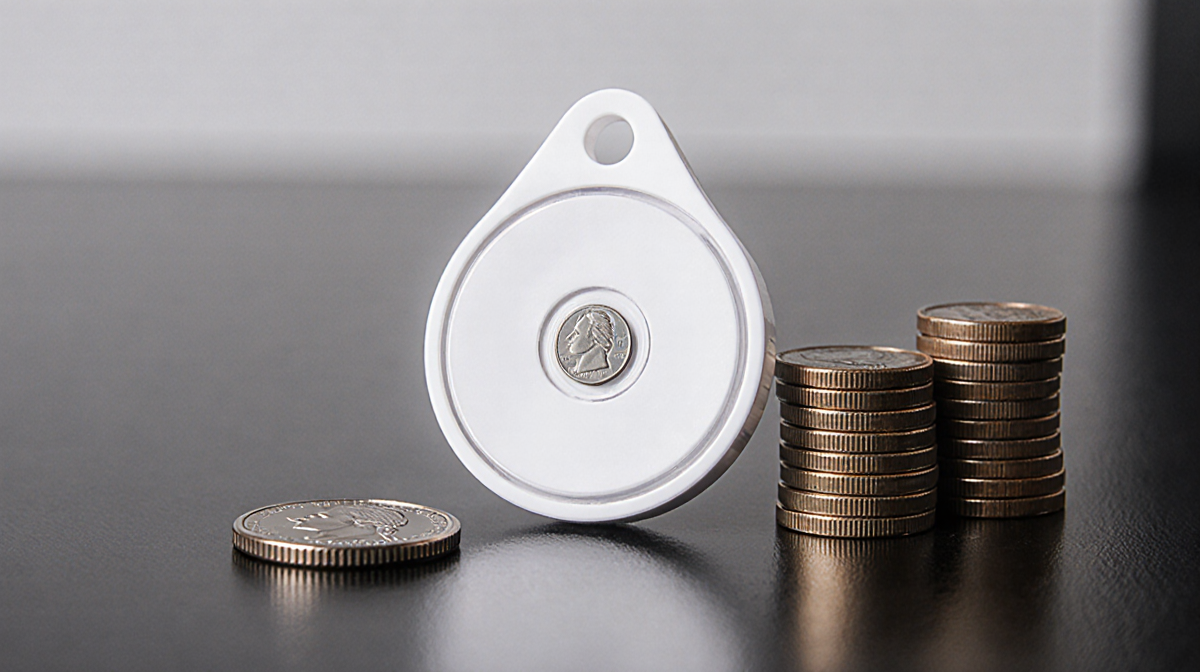
Apple AirTags are small glossy white pucks the size of a quarter and about the height of three stacked coins. They run on a CR2032 coin cell battery that lasts roughly one year. When paired with an iPhone or iPad, the AirTag can be attached to a keychain, slipped into a bag, or hidden in a wallet.
How to Set Up a New AirTag
- Pull the plastic tab that keeps the AirTag inert.
- Bring it near an iPhone or iPad.
- A dialog appears-tap Connect.
- Name the item (e.g., Handbag or Luggage), choose an emoji, and tap Continue.
- The AirTag links to your Apple ID and starts broadcasting.
### Finding Your Items
On an iPhone, iPad, or Mac, open the Find My app, tap the Items tab, and select the AirTag. If you’re nearby, tap Play Sound to hear a high-pitched trill. For iPhone 11 or newer models, the Find button uses the Ultra-Wideband chip to give distance and directional cues. When the item is out of range, the button turns into Directions, handing off the location to the Maps app for driving, walking, transit, or cycling routes.
Battery Life & Replacement
The CR2032 battery in each AirTag typically lasts about one year. When the battery drops below 10 %, a red indicator appears in the Find My app. To replace it:
- Turn the silver back counter-clockwise to release the latches.
- Remove the old battery and insert a new one with the markings facing you.
- Align the metal tabs with the plastic slots, press lightly, and turn clockwise.
- The AirTag will chirp when the battery is securely connected.
### Privacy & Safety Features
Apple added safeguards to prevent unwanted tracking. If an unknown AirTag is detected near you and remains close for a while, your iPhone or iPad will display AirTag Found Moving With You. To identify the tag:
- Open Find My → Items → Identify Found Item.
- Hold the AirTag against the back of the device until a notification appears.
- Tap the notification to open a web page showing the tag’s serial number and any contact information.
If the tag is yours but lost, you can:
- View Lost AirTag in the AirTag details.
- Tap Show Contact Info to display a phone number or email.
- Choose Share Item Location to create a one-week link for others to track it.
Sharing an AirTag
You can share an AirTag’s location with up to five people. In Find My, tap the AirTag, then Share AirTag → Add Person. After the recipient accepts the invitation, both parties can view the tag’s location.
Purchasing Options
| Package | Retail Price | Per-Item Cost |
|---|---|---|
| Single AirTag | $29 (direct from Apple) | – |
| Pack of Four | $99 (Apple) | $24.75 |
| Pack of Four (retailers) | About $75 | Below $20 |
AirTags are often discounted during sales events such as Black Friday and Prime Day. If ordered directly from Apple, you can engrave initials, numbers, or emojis for free.
Using AirTags with Android
AirTags are not compatible with Android phones; there is no Find My app for that platform. Android users can still identify a found AirTag by holding it against the back of an NFC-enabled device to view basic information. Apple previously offered a Tracker Detect app for Android, but it is no longer available for newer devices.
Key Takeaways
- Apple AirTags use a low-power Bluetooth signal and Apple’s Find My network to locate lost items.
- A single CR2032 battery lasts about one year and is easily replaceable.
- Privacy safeguards alert users to unknown AirTags and allow them to disable or share the tag.
- AirTags can be shared with up to five people and are sold in single or pack-of-four options.
- While AirTags work best with iOS devices, Android users can still identify a found tag via NFC.
By understanding how AirTags function and what safety measures are in place, users can confidently integrate them into everyday life to avoid the frustration of lost belongings.