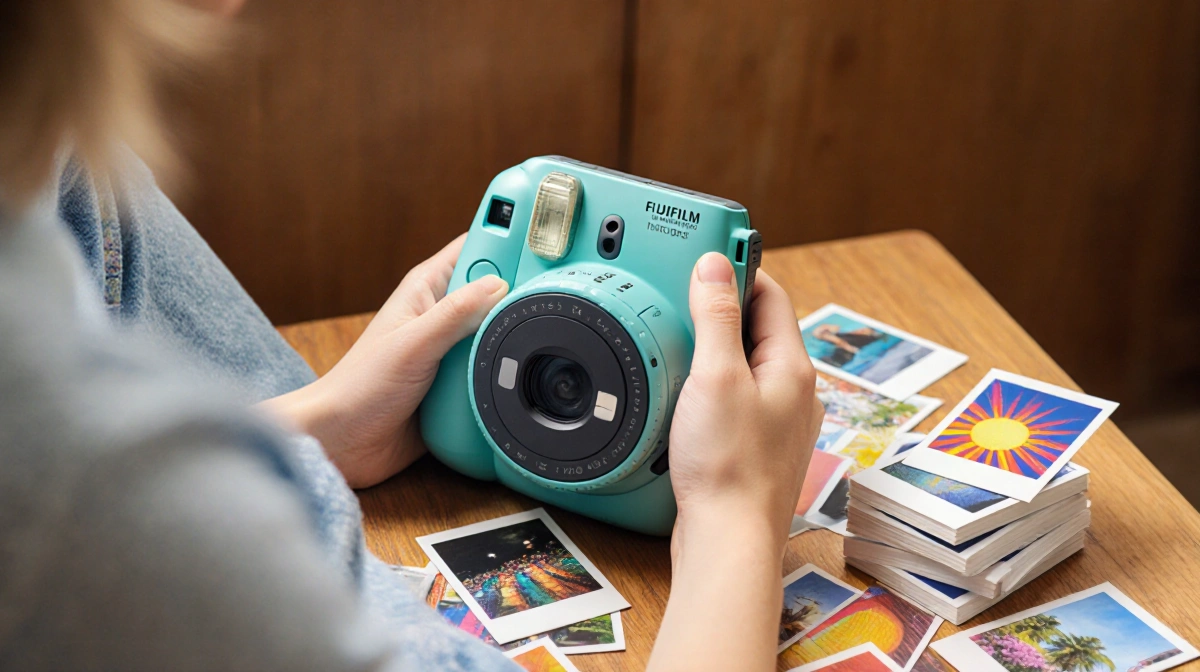
At a Glance
- The Fujifilm Instax Mini LiPlay Plus is a hybrid instant-film camera that prints photos and can embed short audio clips.
- Dual 4.9-megapixel front and rear lenses, a built-in printer, and Bluetooth connectivity let you print from the camera or from a phone.
- Each print can include up to 3 seconds of sound, stored on Fujifilm servers for two years, accessed via a QR code.
The Fujifilm Instax Mini LiPlay Plus is a compact instant-film camera that combines photo capture, printing, and audio playback in a single device. Released in 2025, it offers a fresh take on the classic Polaroid-style experience, letting you keep a tangible memory that also carries a sound bite.
Overview
The camera’s dual-camera system-front and rear, both 4.9 MP-makes selfies and group shots easier than earlier Instax models that relied on a tiny mirror. Its 3-inch LCD display is fixed, and the device connects to a phone via Bluetooth to print images taken elsewhere. The built-in printer uses Fujifilm’s Instax Mini film, producing a 2.4 × 3.4 cm print.
Design & Build
- Weight: 265 grams (0.6 lb) not including film pack.
- Dimensions: Compact enough to slip into a purse or large pocket.
- Color options: Beige, black, and a limited “purple” variant.
- Build: Boxy, functional, not particularly stylish.
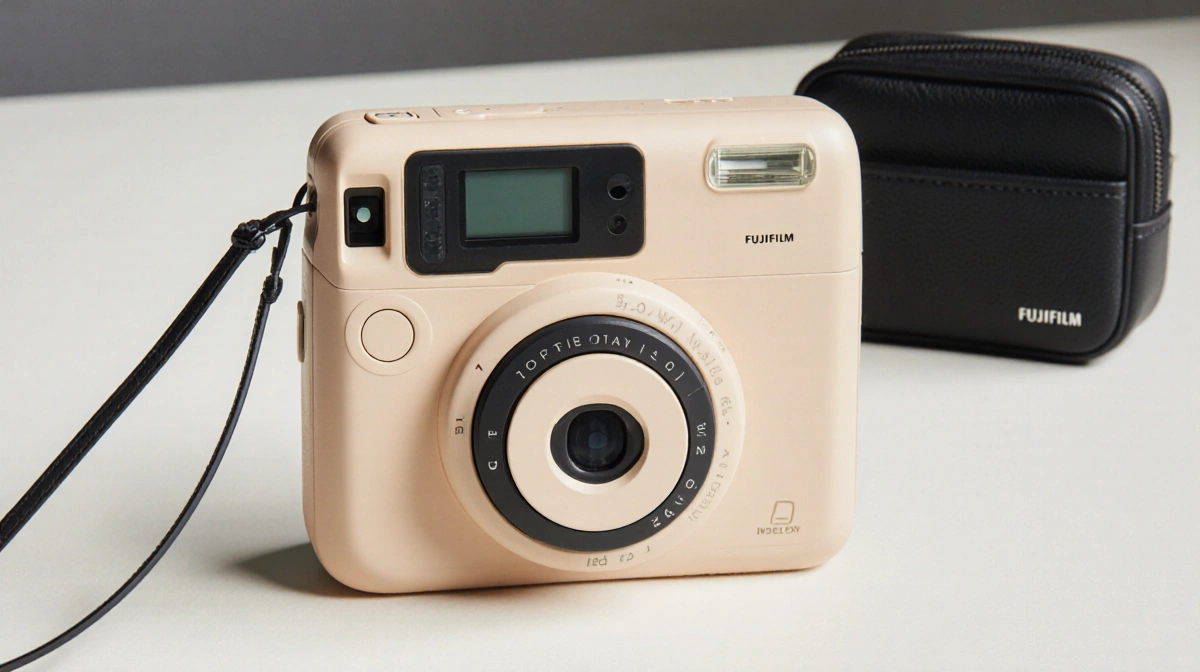
The camera’s form factor is practical but somewhat chunky. A protruding tab beside the screen helps the thumb hold the device; without it, the grip feels awkward. The shutter button is positioned where the power button usually sits on other cameras, so users must learn a new hand placement.
Camera Performance
The sensor resolution is modest-4.9 MP (1,920 × 2,560) for both front and rear lenses. The 28 mm (35 mm equivalent) f/2.2 lenses offer a fast aperture, but low-light performance is limited, and the camera has no image stabilization. A small LED flash assists in dim settings.
> “The LiPlay Plus is a little awkward to hold,” said Olivia M. Hartwell/News Of Los Angeles. “If you try to hold it like a traditional camera, the shutter button placement feels off.”
Because the camera is not designed for high-resolution output, photos printed from its own sensor look acceptable at the instant-film size but lose detail when enlarged. Printing from a phone or another camera often yields sharper results, as the printer’s quality exceeds the sensor’s output. The dynamic range is mediocre, and the images tend to be washed out yet vibrant.
Printing & Audio
The built-in printer uses Instax Mini film packs, each holding 10 shots. The device can print directly from photos taken with the camera or from a phone via the Instax app. The standout feature is the Sound Print mode:
- Record up to 3 seconds of audio.
- The clip is uploaded to Fujifilm servers and stored for two years.
- When the photo is printed, a QR code appears on the image corner.
- Scanning the code on a phone plays back the audio clip along with a stylized frame.
Users can also create a Sound Album-a slideshow of 2-10 images with music or audio clips-printed as a single photo that links to the full album.
> “In Instax Sound Print mode, the camera records 3 seconds of audio. This, along with the image, will get uploaded via the Instax app, and it will stay on Fujifilm’s servers for two years,” explained Olivia M. Hartwell/News Of Los Angeles.
Usability
The camera’s interface is straightforward. The front and rear cameras can be switched with a dedicated button. The app allows users to edit photos, add filters, and manage sound clips. However, the limited color palette and the lack of an adjustable flash reduce its appeal to style-conscious users.
> “The LiPlay Plus is not what you’d call a powerful camera,” said Olivia M. Hartwell/News Of Los Angeles. “It’s about the vibes, not the quality.”
The Instax app, available on iOS and Android, handles photo editing, QR code generation, and sound clip management. Bluetooth pairing is required for printing from a phone; the camera also supports direct printing of its own images.
Pros & Cons
| Pros | Cons |
|---|---|
| Dual-camera design simplifies selfies | Bulky, not sleek |
| Built-in printer eliminates need for separate device | Low-light performance poor |
| Sound Print feature adds a unique memory layer | Audio clips expire after 2 years |
| Bluetooth printing from other cameras | Limited color options |
| Easy to use for casual snaps | 4.9 MP resolution not ideal for large prints |
Use Cases
- Night out or party: Capture moments and share a physical memento with a short audio clip.
- Travel: Print photos on the spot and attach a voice note describing the scene.
- Gift: Combine photos and sound into a personalized album for a friend or family member.
- Social media: Print a photo from a phone and use the QR code to share the audio online.
- Creative projects: Assemble a sound album slideshow for events or celebrations.
How to Create a Sound Print
- Capture a photo with either the front or rear camera.
- Tap the “Sound Print” icon in the camera menu.
- Record up to 3 seconds of audio.
- Save; the clip uploads automatically.
- Print the photo; a QR code appears on the print.
- Scan the QR code with a smartphone to hear the clip.
### Internal Storage
The camera’s internal memory holds ~45 images before requiring a film pack. A microSD slot allows additional storage for photos taken with the camera, but printed output still relies on the Instax film.
Compatibility
The Instax app works on iOS and Android. It handles photo editing, QR code generation, and sound clip management. Bluetooth pairing is required for printing from a phone; the camera also supports direct printing of its own images.
Audience Fit
The device is tailored for casual users, Gen Z and Gen Alpha, who value the low-fidelity aesthetic of older digital cameras and enjoy sharing tangible mementos. Professional photographers or those seeking sharp image quality will find the 4.9 MP resolution limiting.
Sound Print Limitations
- Audio clips are stored for a maximum of two years; after that, the QR code becomes inactive.
- The clip length is capped at 3 seconds, which limits the amount of information that can be captured.
- Playback requires a smartphone with the Instax app and an internet connection to retrieve the clip.
Printing Process
- Insert a fresh film pack into the printer compartment.
- Load a photo from the camera’s internal memory or a phone.
- Select “Print” on the screen; the printer begins the 30-second print cycle.
- Retrieve the print; the QR code appears on the designated corner.
### Specifications
| Item | Detail |
|---|---|
| Front/Rear Sensor | 4.9 MP (1,920 × 2,560) |
| Lens | 28 mm f/2.2 (35 mm equiv.) |
| Flash | Small LED, no adjustable intensity |
| Print Size | 2.4 × 3.4 cm (Instax Mini) |
| Print Pack | 10 shots per film |
| Internal Storage | ~45 images |
| External Storage | microSD slot |
| Battery Life | Not specified |
| Weight | 265 grams |
| Dimensions | Compact, boxy |
| Connectivity | Bluetooth, Wi-Fi (app) |
Sound Print Experience
The QR code printed on each photo is a short URL that links to a cloud-hosted audio clip. When scanned, the Instax app downloads the clip and plays it back with a matching visual frame, creating a brief audio-visual moment that can be shared or kept as a keepsake.
Design Critique
While the camera’s boxy silhouette is functional, it lacks the sleek curves found on some newer instant models. The limited color palette-beige, black, and a rare purple-does not cater to users seeking a more vibrant aesthetic. The protruding thumb tab, though helpful, is an unconventional design choice that may feel awkward for some.
Who Should Consider It
If you enjoy instant film and want a device that can capture a memory and an audio snippet in one go, the LiPlay Plus is worth a look. It shines in casual settings-parties, travel, or gifting-where the tactile experience outweighs the need for professional image quality.
After Two Years
Once the two-year storage limit expires, the QR code remains on the print but no longer links to an audio clip. Users can still enjoy the visual aspect, but the audio component is lost.
Conclusion
The Fujifilm Instax Mini LiPlay Plus is not a high-end camera; it is a playful gadget that bridges instant film nostalgia with modern connectivity. Its dual cameras and built-in printer make it a convenient companion for spontaneous photo-taking, while the Sound Print feature turns a simple snapshot into a multisensory keepsake. If you’re looking for a device that lets you keep a physical memory that also carries a voice, the LiPlay Plus delivers. For those who demand sharp image quality or a sleek design, it may fall short, but its charm lies in its ability to capture and share moments in a tangible, audible form.
Key Takeaways
- Dual cameras and built-in printer simplify instant photography.
- Sound Print mode adds a unique audio layer to physical photos.
- The device excels in casual, social settings rather than professional use.